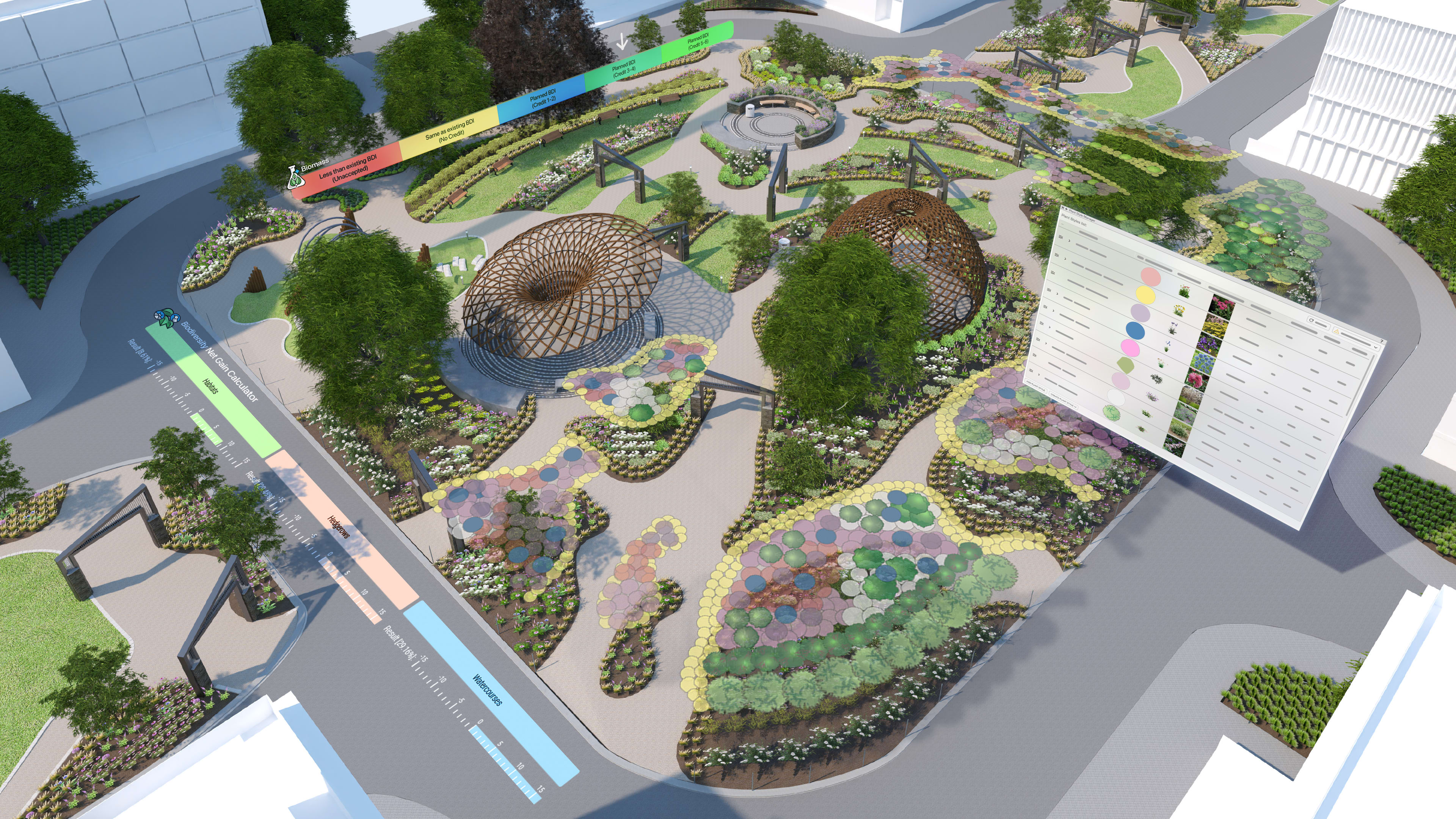
Planting in communities shifts the focus from individual species to resilient, living systems in your landscape designs. Grouping plants by ecological fit supports healthier soils, thriving wildlife, and long‑term performance that responds to water, soil, and microclimate.
Today, many landscape projects also need to prove that these ecological intentions translate into quantifiable Biodiversity Net Gain (BNG), especially where regulations formalize the requirement.
That’s where the Sustainability Dashboard in Vectorworks Landmark comes in. Alongside metrics for embodied carbon, urban greening, and biomass density, the feature gives you a live view of biodiversity as you work.
A Familiar Site, A New Kind of Feedback

From the main Landmark menu, launch the Sustainability Dashboard and choose the Biodiversity Net Gain feature. The adjustable dashboard window slides into place at the side of your workspace, leaving your design layer clear while the Overview tab quietly tallies project boundary, total habitat area, hedgerow length, and watercourse length from your model.
With this workflow and the Biodiversity Net Gain feature, BNG becomes part of the everyday design context, visible whenever you’re ready to look.
Capturing the Baseline
Every BNG story starts with a baseline. In Vectorworks Landmark, that baseline becomes a living benchmark rather than a static PDF or spreadsheet.
You might receive a habitat survey in DWG, DXF, or shapefile format. Standard UK habitat classification data often arrives as class names or as custom records, each describing both the habitat type name and the habitat ID. After import, you move all this geometry to a dedicated design layer and name it “Baseline,” creating a single source of truth for existing conditions.
From there, turn to the Resource Manager. Under Vectorworks Libraries > Default > Sustainability, you’ll find three preformatted record formats designed specifically for BNG work:
- BNG Project Boundary, to define the project’s red line.
- BNG Plant, to tag individual plants and existing vegetation.
- BNG Sheet, to describe habitats, watercourses, and hedgerows.
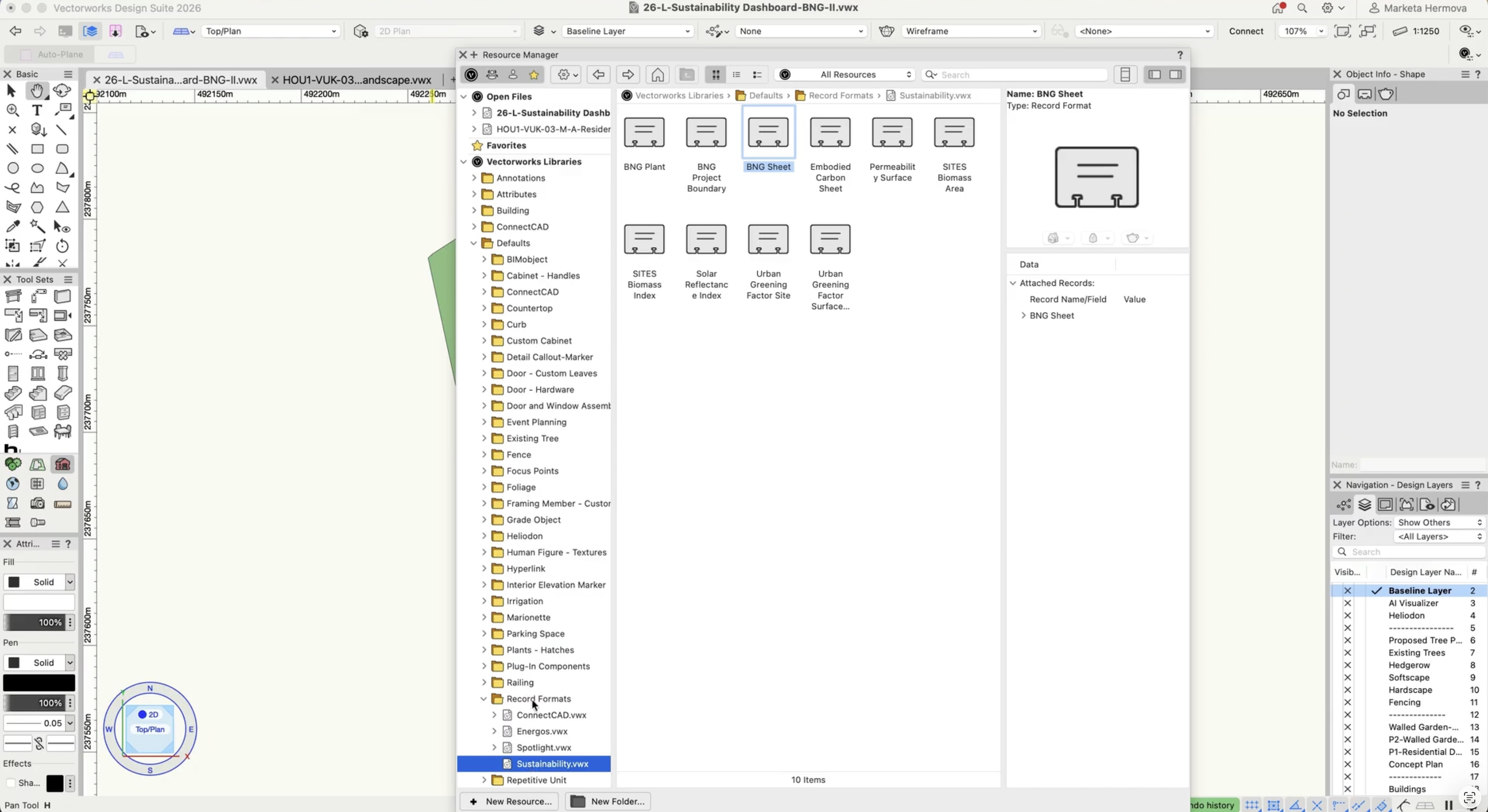
Start with the site boundary by assigning the BNG Project Boundary record to the red‑line polygon, which immediately updates the total project area in the Sustainability Dashboard. This grounds your calculations in a clear footprint.
Next, attach the BNG Sheet to existing habitat polygons and linear features using the Attach Records dialog in the Object Info palette (OIP), or in the Data Manager if you prefer a more automated workflow.
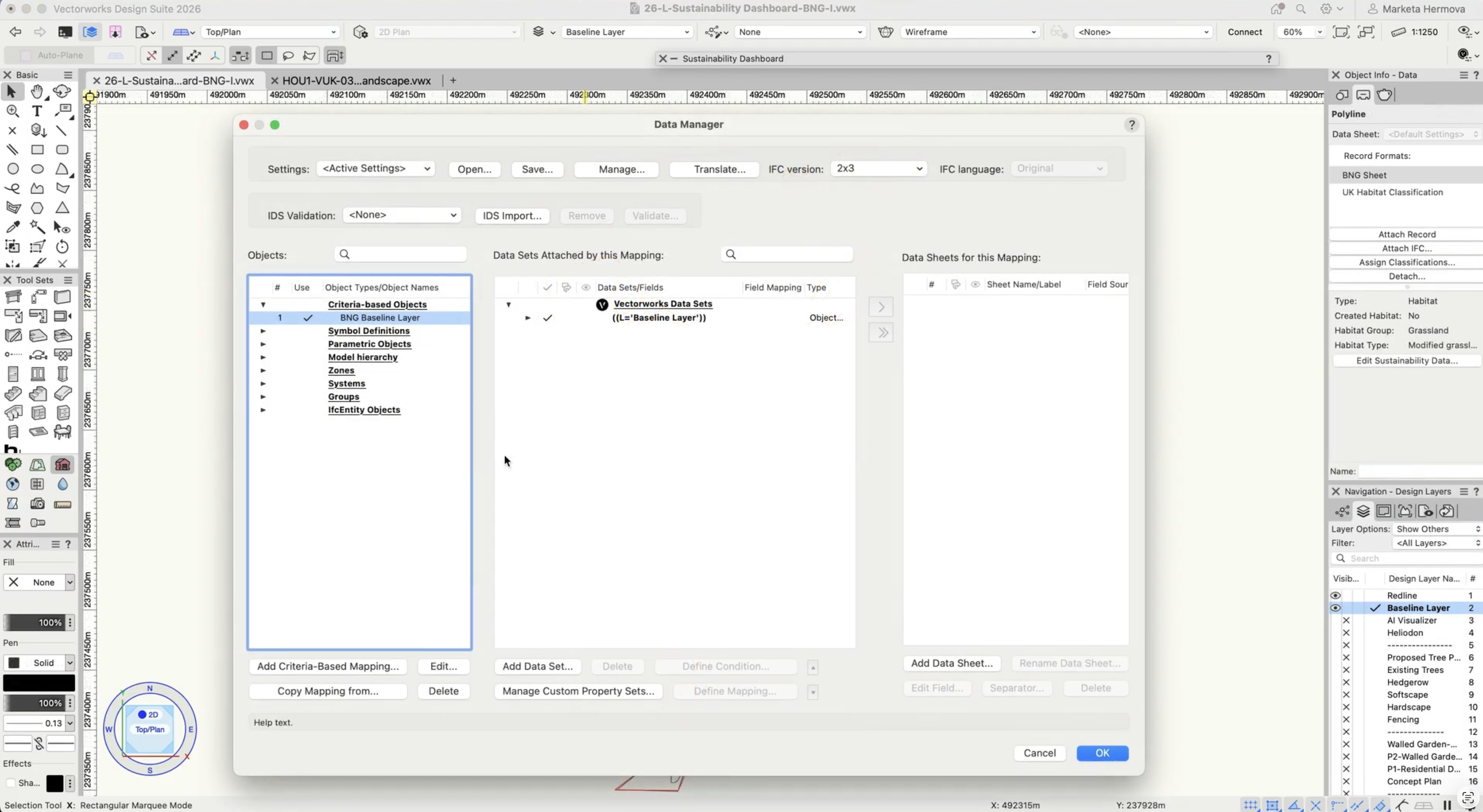
With records in place, the Biodiversity Net Gain editor appears in the Data tab for each object.
This setup means you can specify habitat type, condition, distinctiveness, and other key attributes right on the geometry that represents them.
As you work through the baseline layer, the dashboard begins to tell a story about the existing site: perhaps a large share of the area is low‑value, frequently mown grass, while other corners hold pockets of higher-distinctiveness habitat that will need careful protection or enhancement.
Evolving Plant Communities into High‑Value Habitats
Once the baseline is in place, you address your plant communities and your BNG workflows in the same model.
Create a new design layer for the proposal, built on the same ecological logic as before, but with clearer intent: more species‑rich grasslands replacing part of the mown lawn, hedgerows extended to link isolated habitats, a richer riparian mix hugging the water’s edge. Instead of assigning BNG records one object at a time, you can lean into information-rich workflows with Styles.
Landscape Areas and Hardscapes carry the Sustainability BNG framework data in their styles. When you apply a style, you’re not just setting widths, materials, or classing. You’re also assigning habitat type and related fields that the dashboard reads as part of the BNG calculation.

Next, the Sustainability Dashboard pulls all this information together.
On the Overview tab, you can set a target percentage increase in biodiversity based on planning requirements, then watch as the proposed design starts to take shape numerically and visually. The detailed view lists baseline, enhanced, created, and retained habitats with their distinctiveness, condition, and any alignment with local strategic plans, giving you a clear view of which interventions are doing the most work.
Often, the first pass doesn’t quite meet the target. Maybe the dashboard reports only a modest gain. That becomes a design prompt: expand the meadow community a little farther into the underused lawn, introduce more structure to a hedgerow, or widen a riparian planting to deepen its ecological value.
Press Recalculate, and the updated biodiversity percentage appears in seconds. The feedback loop between idea and impact becomes fast enough to support real design exploration.
For projects delivered in phases, you can filter the dashboard by design and sheet layers, limiting calculations to the geometry relevant to a specific stage. This keeps BNG assessments precise, even when construction and planting roll out over several years.
Using Data as a Design Partner
The Biodiversity Net Gain workflow in Vectorworks Landmark gives you a way to bring structured data into the conversation early, when there’s still freedom to adjust plant communities, path layouts, and program elements.
The Sustainability Dashboard acts as a design partner that complements your expertise. The Overview tab distills complex inputs into a clear sense of progress toward your chosen BNG target.
Selecting an object in the dashboard highlights it in the design layer so you can refine its data in the OIP. Once you’ve dialed in BNG specifications for one landscape area or hardscape, the Eyedropper tool with records checked lets you transfer that setup to similar objects in a few clicks.
Over time, this builds a library of styles that carry both visual and ecological intelligence, so a woodland edge, species‑rich verge, or wet meadow style becomes a design element and a container for BNG attributes that describe its habitat value across the site.
That same data foundation powers clear communication with data visualization.
You can create a visualization that targets objects carrying the BNG Sheet record and uses habitat type as the display criterion, automatically assigning colors so the existing site becomes a legible ecological map on your plan.
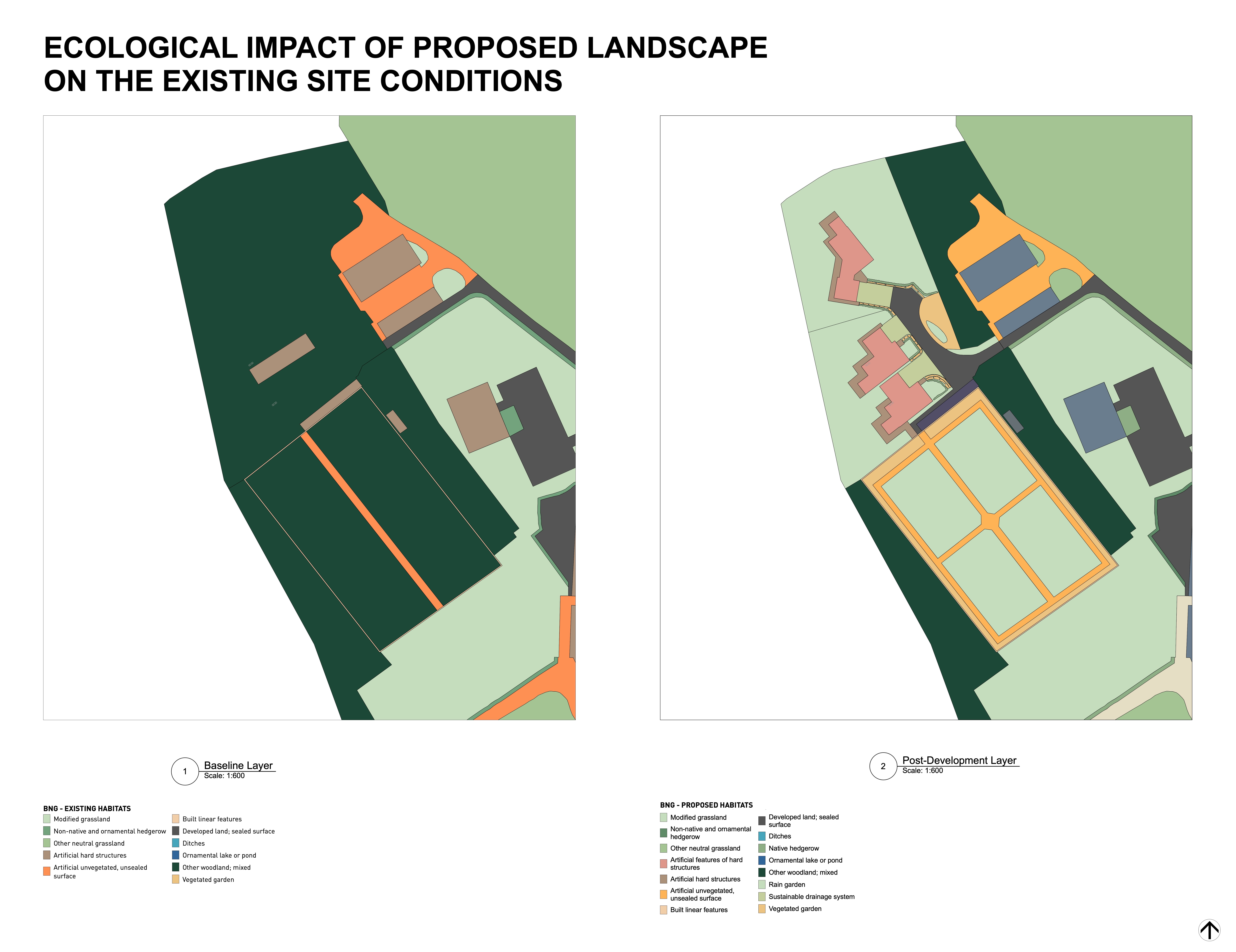
You can then repeat the process on the post‑development layer and present paired views to your collaborators that show where low‑value grass gives way to species‑rich communities, hedgerows reconnect, and riparian planting deepens along channels or ponds, all supported by a database legend that explains habitat types and colors at a glance.
As the project evolves, you update the model and recalculate, and every new visualization or export reflects the latest decisions without starting over.
Designing for Lasting Biodiversity Gains
Plant community design and Biodiversity Net Gain share a common goal: landscapes that work for more than one season and more than one species.
The Sustainability Dashboard in Vectorworks reinforces the idea that every decision about plant communities, groundcovers, and habitat connections can contribute to a clearer, more defensible story about the value your project brings to its site.
In that sense, Biodiversity Net Gain isn’t just a compliance box to tick. It becomes another way for you to practice environmental stewardship, bringing together the art of planting design and the clarity of data in a single, evolving model.
WATCH THE SUSTAINABILITY DASHBOARD IN ACTION
Watch how to monitor Biodiversity Net Gain as your design takes shape.
Stay in the know with the latest insights
Subscribers receive news, customer stories, success and learning tips, event information, and other important announcements from Vectorworks.
By submitting this form, you agree that Vectorworks, Inc. and its authorized partners may contact you in regards to news, offers, and the use of our software, services, and platforms. Learn more about our privacy practices and your data on our privacy page.*