Core Technology
Unlock performance you can feel with tools that help you design with greater speed, clarity, and control.
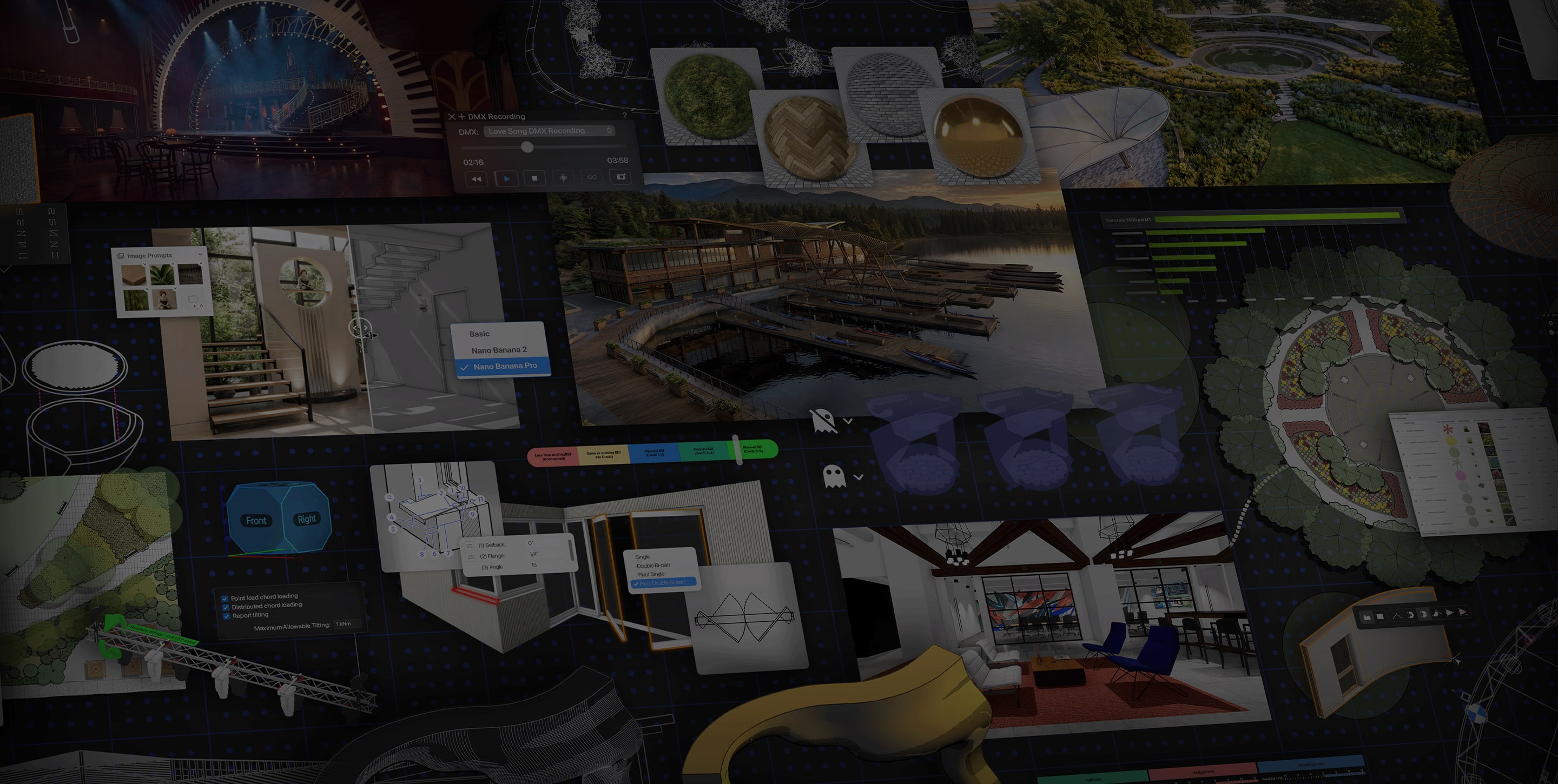
Discover the latest tools, enhancements, and performance updates built to help you design smarter, iterate faster, and deliver your best work.
Unlock performance you can feel with tools that help you design with greater speed, clarity, and control.
Access top-tier AI rendering right inside Vectorworks, available only to subscription customers. Leverage the free, unlimited model for everyday iterations, then switch to Nano Banana Pro or 2 for sharper 2K detail, smarter scene reasoning, and multi-image references. In-palette credit tracking gives you real-time visibility into usage, preventing overspending and unexpected limits that slow projects down.
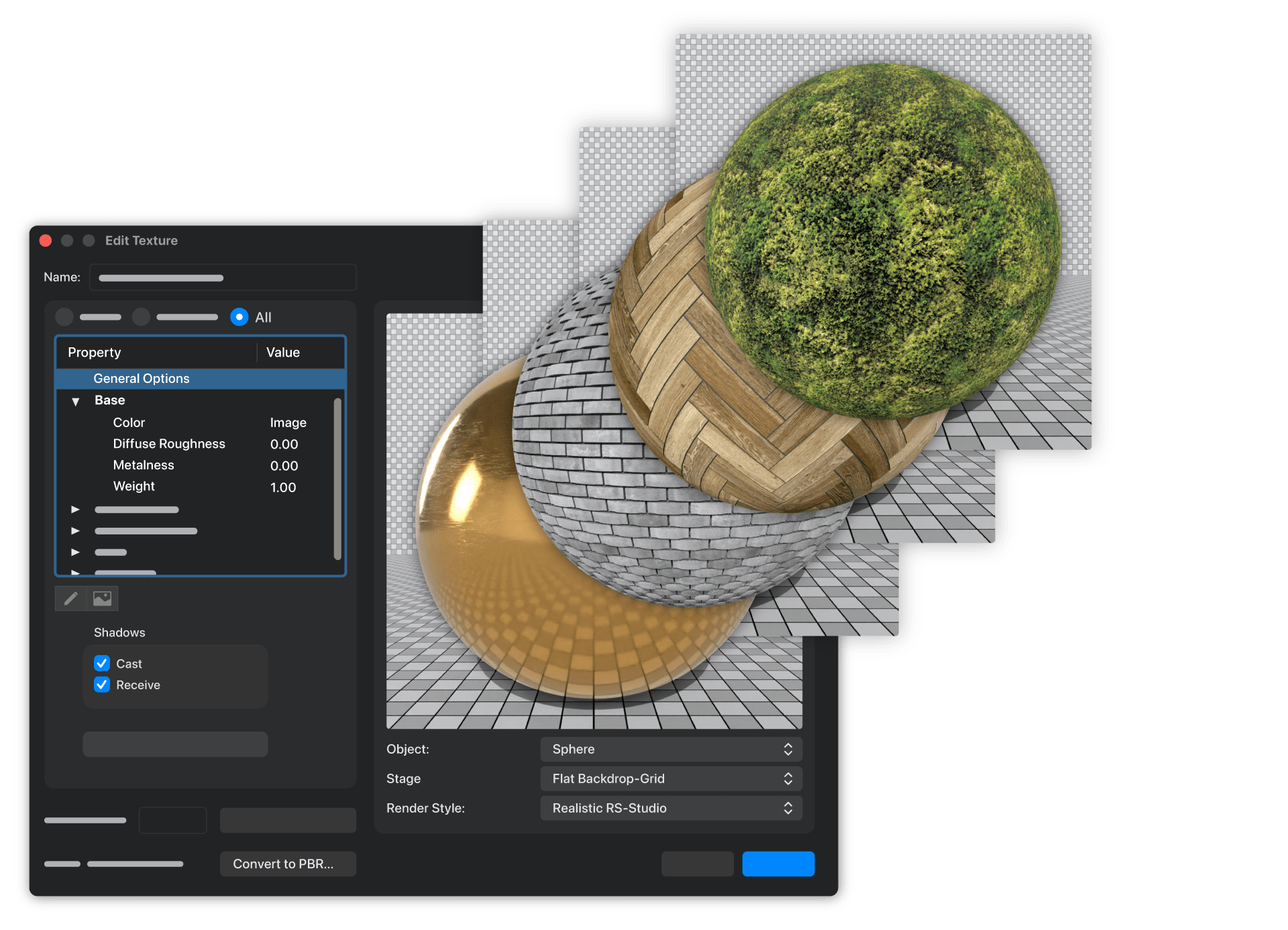
Create stunning textures once, then enjoy the payoff everywhere you work. A modern PBR texture system lets you build richer, more realistic materials with live previews, convert old textures in a click, and send those same render-ready surfaces straight into dedicated visualisation tools—so your visuals all share the same high-quality materials without extra rework.
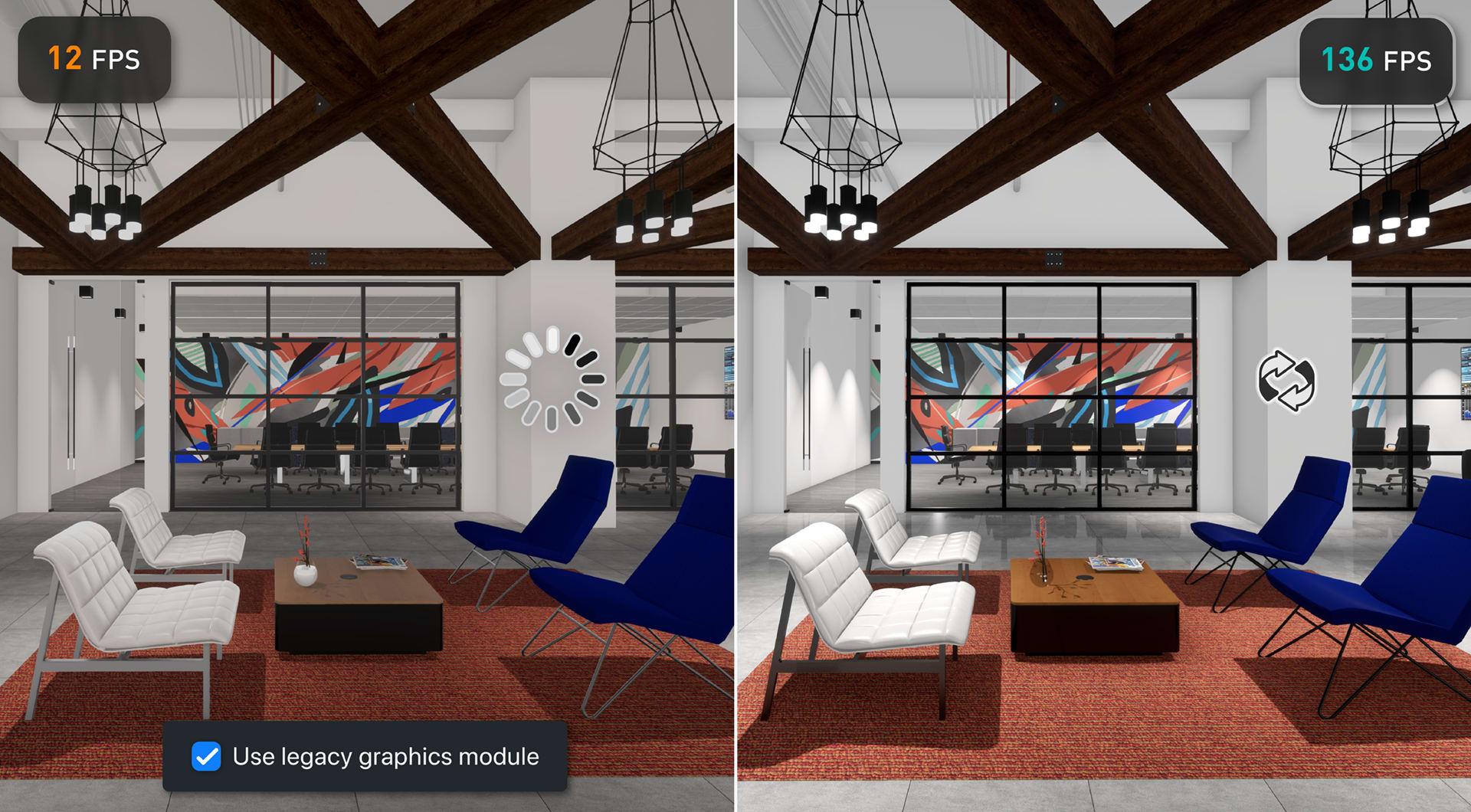
Tackle your most ambitious projects without slowing your creative flow. Experience smoother navigation and faster interactive rendering of large models with a modernised graphics engine that leverages the GPU, delivering cleaner visuals, reduced memory usage, and dependable performance across Shaded, Wireframe, and Showcase-style workflows.
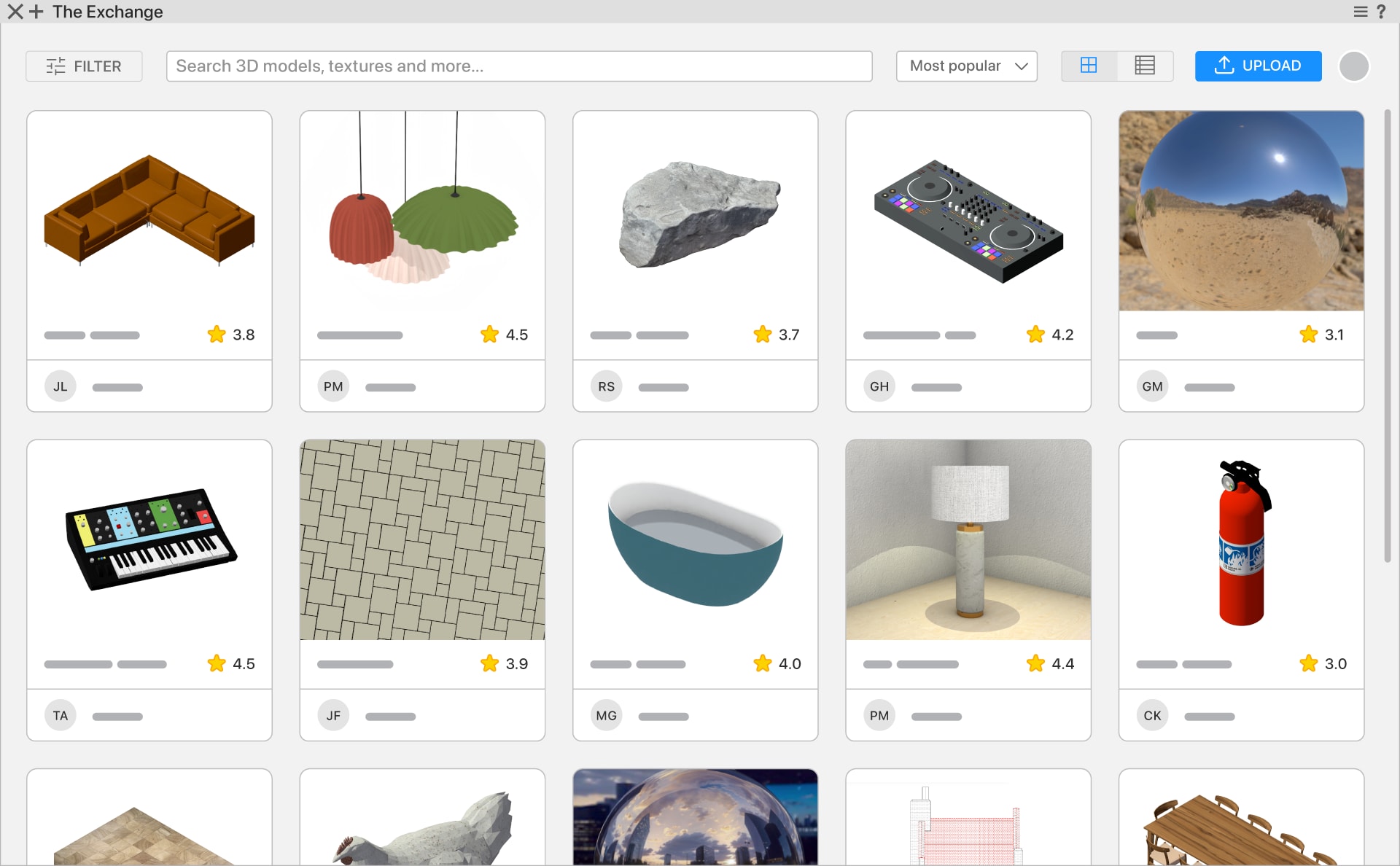
Discover and share Vectorworks-ready content in a space shaped by professionals like you. The Exchange is a trusted hub where your expertise and the community's collective knowledge come together as ready-to-use resources. With clear visuals, rich metadata, and powerful filters, you can quickly pinpoint exactly what you need. Import, reuse, and share resources directly in Vectorworks to complete projects faster while growing your content library.
Bring real-time visualisation directly into your design workflow with Maxon Redshift for Vectorworks. Instantly preview, refine, and render your architectural models in a dedicated, synchronised rendering application. Seamlessly walk through your design as it evolves, with physically accurate light, shadows, and materials responding in real time—enabling faster decisions, smoother design exploration, and immersive client presentations.
Transform data visualisations into clear, reusable resources you can trust. Bring consistency to every project with smarter automation, enhanced control over how visualisations interact with compound sets and stacking overrides, and seamless syncing of tags, legends, and Saved Views—helping you deliver polished, data-driven graphics every time.
Bring AutoCAD dynamic blocks into Vectorworks without losing your momentum. Choose to convert each representation into editable symbols or consolidate them into a single Dynamic Object with a type dropdown, so you can swap configurations in a click, update instances globally, and keep imported drawings lean, flexible, and ready for design work.
Visualise complex 3D shapes with shaded previews that reveal the true form, colour, and volume of your designs as you model. With a clearer view of every push, pull, taper, and deformation, you can fine-tune your designs in real time—eliminating costly rework and ensuring your results match your intent.
Deliver clear, precise documentation with smarter associative dimensions and a more powerful Data Tag tool. Precisely tag the right objects, sequence annotations logically, and adjust callouts with greater control—ensuring your documentation stays accurate as projects evolve.
Build custom, style-driven data tables that live right where you work. Split long legends across multiple sheets, hide or show individual cells, reorder entries, and reuse pre-defined styles across projects—making it easy to create clear, consistent documentation that stays connected to your model.
Define exactly how objects display at the cut plane both above and below so every plan reads cleanly from the start. Spend less time on 2D cleanup and keep views consistent as your design evolves so you can deliver clear drawings and documentation that tell the right story to every stakeholder.
Balance render speed and image quality viewport by viewport without slowing your workflow. A new DPI setting in the Object Info Palette lets you override raster viewport resolution with common presets or custom values. Rely on a sharper 150-DPI default, cut down on last minute re-renders, and keep every presentation looking clean and client-ready.
Draw complex linework that always looks clean and consistent, even around tight corners and curves. Bend patterns along polylines, preserve whole patterns, and add corner wrapping and optional scatter—all with no broken dashes or messy joins so you can create presentation-ready linework on every sheet.
Stay focused on design work with a more informative drawing view. With Non-Plot tagging, you can keep critical guide and reference classes visible on-screen while ensuring they never hit the printer. Reduce reprints, avoid errors, and stay in complete control of your documentation process.
Streamline collaboration with seamless file sharing. Native FBX import brings geometry, hierarchies, and materials straight into Vectorworks, while streamlined batch DWG/DXF export lets you define settings once and generate multiple consultant-ready files in a single pass. Save time, reduce errors, and respond faster to partner requests.
Stay organised and work faster by shaping Vectorworks into a clutter-free workspace that always looks and behaves the way you expect. Easily customise layouts, palette visibility, and settings across computers and displays, then dock your web palettes so essential browser-based tools stay close at hand without covering your drawing.
Grow your Vectorworks knowledge without ever leaving the software. With direct access to the AI Assistant and a more integrated onboarding experience, you’ll be able to hit the ground running in just a few clicks. Open curated sample files directly in your drawing area, explore key workflows, and get up to speed fast.
Shape and edit geometry with confidence instead of guesswork. Preview fillets before committing, build tangent circles and arcs more intuitively, instantly offset "extrude along path" profiles from the exact point you choose, and distinguish midpoint reshape handles at a glance so editing geometry feels faster and more predictable.
Learn how to get started with the latest tools and workflows by diving into the Learning Paths on Vectorworks University.
Move from sketch to BIM with tools that support precise modelling, seamless collaboration, and intelligent documentation.

Build complex door and window conditions and adjust them on the fly as your project evolves. With native controls for placement, geometry, and visibility, you can create pivot doors, realistic sill profiles, and corner assemblies faster while reducing the need for manual cleanup. Respond to design changes quickly and deliver cleaner documentation.

Locate your Vectorworks model exactly where it needs to be on the map, no GIS expertise required. With the Geolocation Setup Wizard, you can align surveys, point clouds, GIS layers, and location imagery—now including imagery from Google Maps—around a single survey point. Easily switch between local project coordinates and true geospatial positions as needed, and ensure federated models always line up for review.
Streamline renovation and multistage projects with the Phasing system—now enhanced with data visualisation sets. Easily track objects with statuses that indicate whether they’re Existing, New, Demolished, Relocated, or Temporary. From this single source of truth, you’ll automatically produce crystal-clear, phase-accurate drawings and reports, helping you deliver high-quality projects with confidence.
Work more efficiently by bringing Revit families into Vectorworks as flexible, data-rich objects instead of static imports. Import each family once as a single dynamic object that holds every type and its metadata, then instantly switch configurations with the Object Info palette. Cut duplicate content, avoid repetitive imports, and keep your designs organised around clean, reliable data.
Keep office resources updated without breaking your stride. Turn one-off walls, slabs, and roofs into reusable styles right from the Object Info Palette. With a single menu option across all object types, you’ll spend less time hunting through dialogues while keeping projects clean, consistent, and easy to manage.
Define space area and volume rules once and ensure every calculation aligns with the standards your project demands. Whether you’re working under DIN 277, NEN 2580, SIA 416, or a custom ruleset, you’ll get instant quantity takeoffs that stay accurate as your designs change. Spend less time buried in spreadsheets and streamline stakeholder reviews.
Design resilient landscapes with tools that connect terrain, planting, and documentation, helping you balance creativity and constructability.
Turn hard-to-define spaces—such as backfill areas or attenuation pond capacity—into clear, reliable data without hand building complex solids. The Volume Fill tool automatically fills and quantifies gaps between site elements and basins, reporting volume, area, and footprint so you can iterate on grading and stormwater strategies using precise data rather than rough estimates.

Anchor your Vectorworks model to its real-world position on the map without needing GIS expertise. With the Geolocation Setup Wizard, you can align surveys, point clouds, GIS layers, and location imagery—now including imagery from Google Maps—around a single survey point. Move smoothly between local project coordinates and true geospatial positions as needed, and easily keep federated models aligned for coordination and review.
Quickly understand where significant earthwork happens, so you can make smarter grading decisions. Bid and plan more accurately, with detailed zone volumes available in data tags and worksheets that update automatically. Communicate cut and fill more clearly to clients and collaborators, so you can easily justify design choices and revisions.
Manage all your landscape styles in one place and edit them in bulk. The Landmark Style Manager gives you a live, filterable table of all Plant, Landscape Area, and Hardscape styles in your file—so you can scan what’s in use, batch edit parameters, and push consistent updates across an entire site from a single palette that stays open while you design.
Choose the right plants faster and place them with confidence. An updated Plant Tool Resource Selector gives you a richer, web-based browser with visual previews, powerful horticultural and tag-based filters, and a slide-in panel for reviewing plant style graphics and species data—helping you drop the right plants into your drawings every time.
Grab your favourite beverage and prepare to sharpen your software skills. Vectorworks Coffee Breaks are the perfect opportunity to see new tools in action and learn directly from Vectorworks trainers—all from the comfort of your desk.
Stay ahead with software that never stands still. Experience smarter workflows, quality-of-life improvements, and continuous updates shaped by how you work.
Quickly turn complex 3D rigs into accurate 2D schematics. Enhanced schematic view workflows let you pick rig faces visually, mark each schematic with its orientation, reuse saved creation sets across shows, and auto-apply label legends, data tags, and dimensions. Read rig schematics at a glance, keep drawings consistent from project to project, and spend less time on manual cleanup.

Streamline power and data planning by working from a single connectivity source that keeps devices, distributors, and cable runs aligned as you design. Define connections at the device or symbol level, edit distributor internals visually, and rely on cable tools that respect breakout and break-in lengths so you can produce accurate, build ready plans.
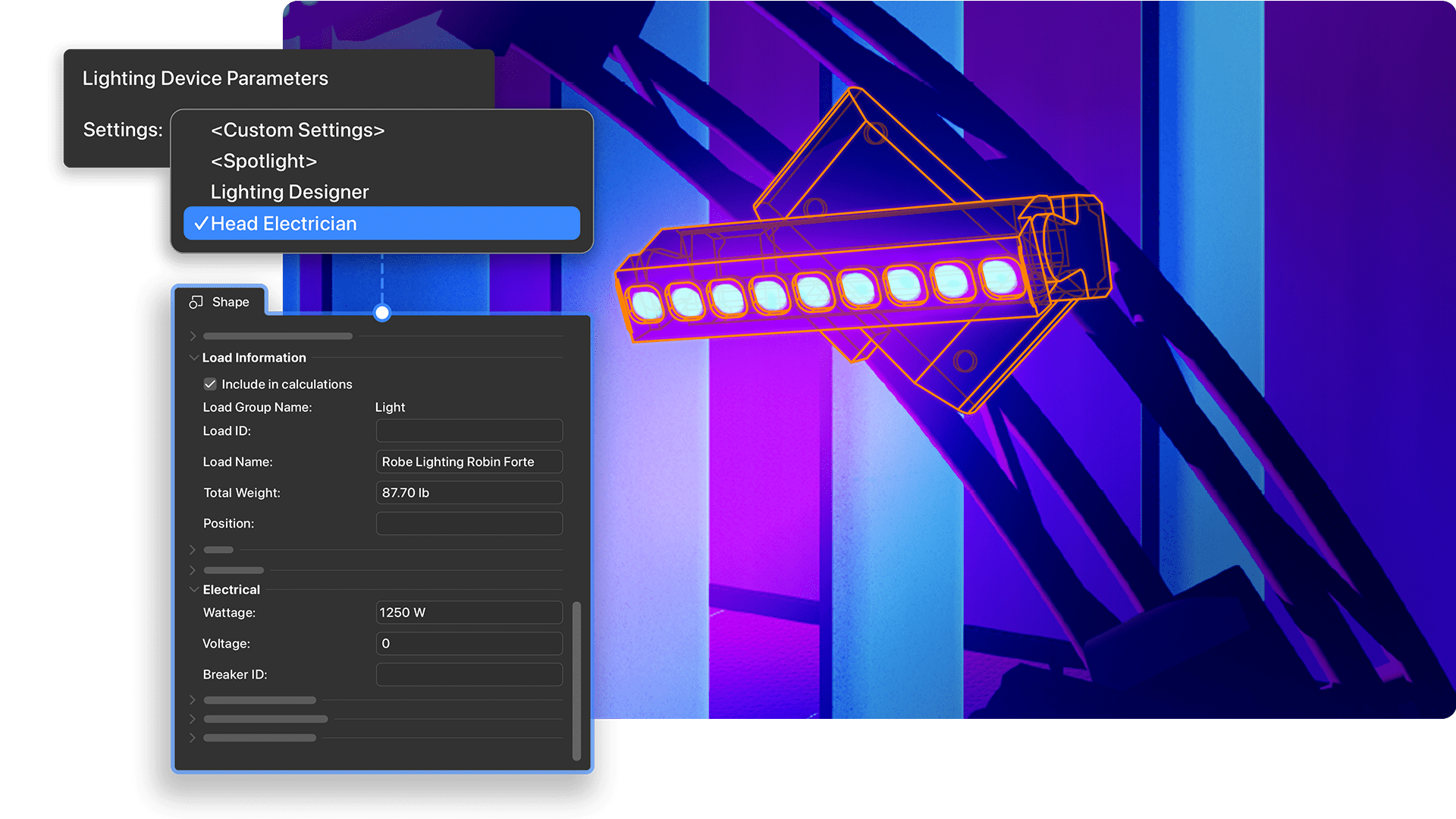
Edit fixtures faster by aligning the Object Info Palette with your design process. Group lighting device parameters into collapsible sections that mirror real-world workflows, jump straight to the fields you use most, and save custom layouts to reuse across projects so you can make updates with less clutter and more speed.

See exactly where sound levels fall across your venue with clear visual representations integrated directly into your workflow. The new Listening Plane object enables seamless MVR exchange with external audio analysis software, so you can build measurement grids, easily visualise professional sound data in your Vectorworks model, and bring speakers in as true speaker objects instead of lighting devices.
Place sockets on your schematic devices with smart defaults that remember your last-used settings and apply intelligent, automatic naming. Reduce repetitive device setup and prevent duplicate socket names, keeping drawings tidy and labels consistent so your team is better prepared for smooth, reliable installations in the field.
Move through your design process with fewer interruptions and less cleanup by taking direct control of how fixture data and scene files flow between Spotlight, consoles, and previz tools. Edit GDTF gobos directly in your file, filter exactly which MVR layers and data get imported, and assign GDTF fixture modes with a simple drag-and-drop function.
Make sure every pan and tilt in Showcase mirrors what your fixtures do on stage by inverting movement per device instead of diving into DMX or repatching. Fix reversed looks in seconds, stay in flow, and export to older Vectorworks versions knowing your cues and compositions still line up.
Cut down the time it takes to validate your rig by snapping loads, bridles, and hoists into place with precision instead of relying on manual alignment. See every load clearly in a structured hierarchy, make targeted adjustments without friction, and verify each pick-up in detail so you can reduce errors and deliver accurate, safety-checked rigging designs.
Access everything you need to cover the latest updates, including press releases, videos, images, and product information.
Keep projects moving with tools that connect teams, sync workflows and files, and align feedback no matter where you work.
Move seamlessly between Vectorworks and the Morpholio Trace mobile app. Send scale-accurate sheets and viewports to your iPad for sketching, then easily bring your ideas back into Vectorworks as images or line work—no manual back-and-forth required. Maintain your creative momentum, iterate faster, and keep all your files aligned from start to finish.
Let reviewers add image-rich, object-linked comments to projects from any device, then pull that feedback straight into Collaboration objects in your Vectorworks files. Track issues across versions, see what’s open or resolved at a glance, and move coordinated changes through drawings, models, and on site work without losing context.
Nano Banana and Google Maps in the Geolocation Setup Wizard are only available to active Vectorworks subscription customers. Switch to a subscription today to get access.
